
Pick the right leather and cut enough thread, every time.
Hide Bench turns Claude, ChatGPT, Gemini or Grok into a bench mentor who has made a hundred wallets and belts. Tell it the project, and get the leather weight, the iron and thread to use, how much thread to cut, a cutting layout and the steps to finish edges, dye and seal.
Get Hide Bench Leather Guide for $5 Work out thread
$5 once · card, Apple Pay or Google Pay · download in a minute
Into more than one hobby? Get all 70 hobby skills for $19, this one included.
- One-time $5
- Instant email delivery
- 14-day refund
- Works in Claude, ChatGPT, Gemini and Grok
Build plan: bifold wallet in vegetable-tanned leather
First wallet · hand stitched · natural edges
Veg tanSaddle stitchInches and mm
- LeatherOuter 3 to 4 oz (1.2 to 1.6 mm), pockets 2 to 3 ozThin pockets keep the stack under 6 mmBuy
- Iron3 mm pitch with 0.55 mm threadAbout 8.5 stitches per inch, neat for small goodsTools
- ThreadCut about 111 in (2.8 m) for 18 in of seams4 mm stack, 2 backstitches each end; sew in two sectionsCut
- EdgesBevel, sand to 400 grit, burnish with waterBurnish before final stitching on pocket topsFinish
- FinishDye, buff, then a water-based top coatTest dye on a scrap from the same hideSeal
What a good bench mentor keeps in their head
One skill, six jobs. Claude, ChatGPT, Gemini or Grok picks the right one from what you ask.
Leather weights and types
Ounces to mm, veg tan versus chrome tan, and the right weight and temper for each project.
Stitching math
Iron pitch, thread size, thread length for any seam and saddle stitch step by step.
Layout and hide yield
Plan cuts on a side or shoulder, work around flaws and stretch, and cost each piece.
Tooling and carving
Casing leather, swivel knife work, stamping order and getting clean, deep impressions.
Dye, edges and finish
Dye methods, even colour, burnishing, edge paint and top coats, plus fixes for blotches.
Tool lists
A lean starter kit, what to upgrade first and what you can skip for each kind of project.
Ask it like you'd ask a leatherworker at the next bench
It gives you the numbers and the reasons, so you can adapt them to your own pieces.
A single layer of 8 to 10 oz veg tan, no stitching needed (high confidence)
For a first belt, one layer of 8 to 10 oz (3.2 to 4 mm) vegetable-tanned leather is strong, simple and takes edges and dye well. Buy a pre-cut belt blank or a strap cut along the backbone, where it stretches least.
- Length: cut the strap about 10 to 12 in longer than the waist measurement. Measure from the buckle fold: the middle of 5 holes goes at the wearer's measurement around the waist over clothes where the belt sits (or pant size plus 2 in), with holes 1 in apart.
- Hardware: a 1.5 in buckle, two Chicago screws or a rivet at the fold and a keeper loop from a scrap strip.
- Edges: bevel with a #2 or #3 edge beveler, sand, then burnish with water or a burnishing gum.
- Optional stitching: a 4 or 5 mm iron with 0.8 mm thread along the edges is decorative on a single layer. Cut about 4 times the length you stitch.
Before you dye
Dye before you burnish, and test the colour on a scrap from the same strap. Seal with a top coat so it doesn't rub off on clothes.
Example answer from the full skill. Your answers depend on what you ask.
Honest about the craft
Leatherwork has plenty of myths and expensive gear. Hide Bench tells you what matters.
- Tools you need, not tools you could buyIt starts with a lean kit and tells you what to buy only when a project needs it.
- Real mathThread lengths and yields come from your seam, thickness and pieces, not a rule of thumb alone.
- Sharp blades, safe handsCut away from your hand, use a steel rule and a strop, and ventilate solvent dyes and cements.
- Test on scrapEvery hide takes dye differently. It always suggests a test piece first.
Up and running in two minutes
No app to learn and nothing to install on your computer. It lives inside Claude, ChatGPT, Gemini or Grok.
Buy once
Pay $5 by card, Apple Pay or Google Pay. Your download link arrives by email in about a minute.
Add it to Claude, ChatGPT, Gemini or Grok
Upload the ZIP under Skills in Claude, or the unzipped folder in Gemini. It takes about 30 seconds. In Grok, upload the ZIP, or paste the included paste-in file into a new skill. In ChatGPT, add the included paste-in file to a Project.
Just ask
"What weight leather for a card holder?" "How much thread for a 30 inch seam?" "Why is my dye blotchy?"
Pick your app for the exact clicks
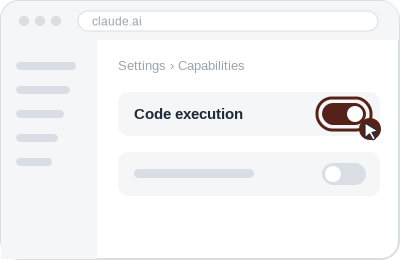
1In Settings, then Capabilities, turn on code execution.
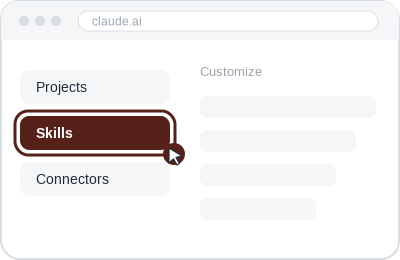
2Open Customize, then Skills.
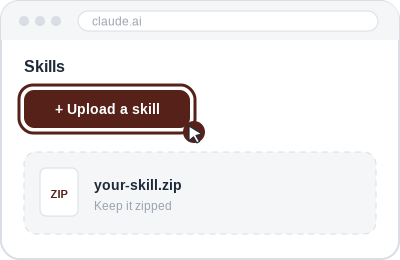
3Click +, choose Upload a skill, pick the ZIP. Keep it zipped.
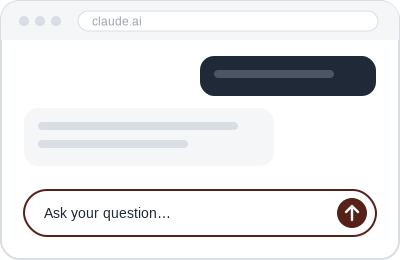
4Start a new chat and ask. Claude picks up the skill.
Works on every Claude plan, including the free one. Free plans have lower usage limits.
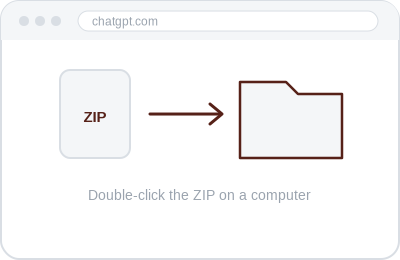
1On a computer, unzip the download and find ANY-AI-PASTE-VERSION.txt.
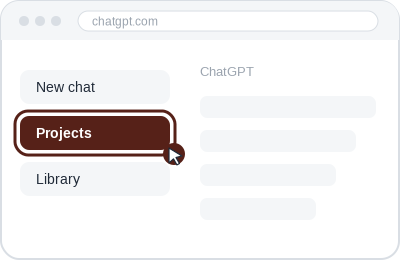
2In ChatGPT, open Projects and make a new project.
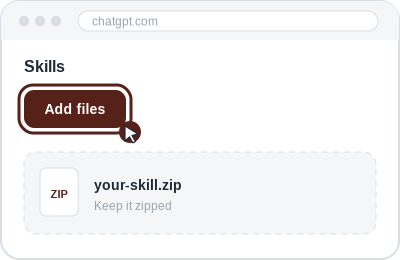
3Add the .txt file to the project. In its instructions, type: Follow the attached file.
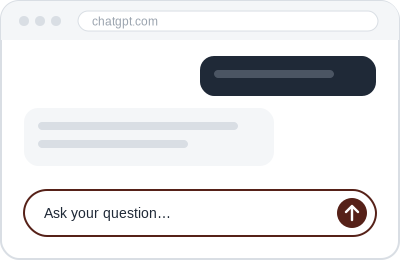
4Start a chat in that project and ask. On a Business, Enterprise or Edu plan, you can upload the ZIP under Skills instead.
Personal ChatGPT plans (Free, Plus, Pro) don't have a Skills page yet, so you use the paste-in version in a Project. On a Business, Enterprise or Edu plan, go to chatgpt.com/skills, choose Add, then Upload from your computer.
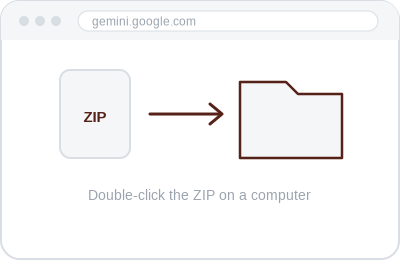
1On a computer, unzip the download. You get a folder.
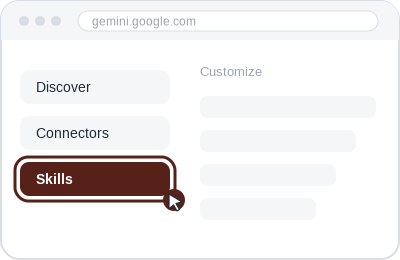
2At gemini.google.com, open Customize, then Skills.
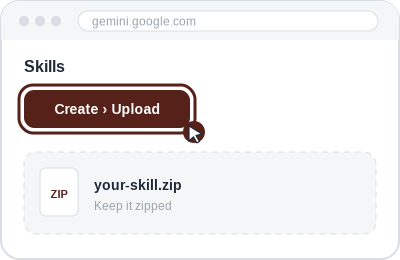
3Choose Create, then Upload, then folder. Pick the unzipped folder.
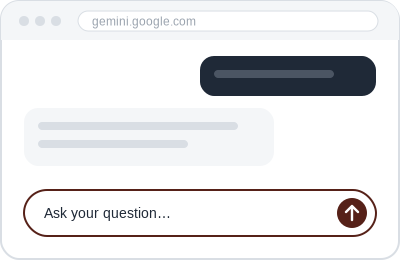
4Start a new chat and ask.
Gemini takes the unzipped folder, not the ZIP. Menus in Gemini change often, so names may differ slightly.
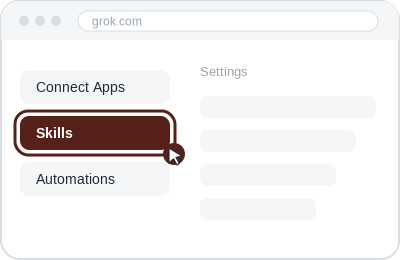
1At grok.com, open Settings, then Skills.
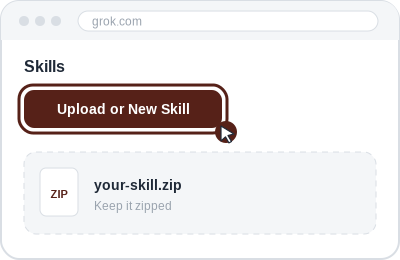
2If you see Upload, pick the ZIP. If you only see New Skill, use the next step.
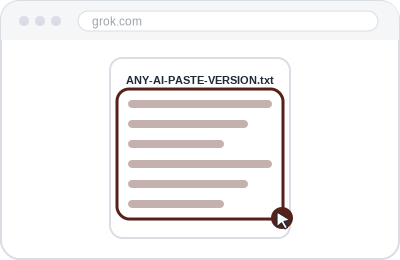
3New Skill: name it, then paste the text of ANY-AI-PASTE-VERSION.txt (below the line of equals signs) into Instructions.
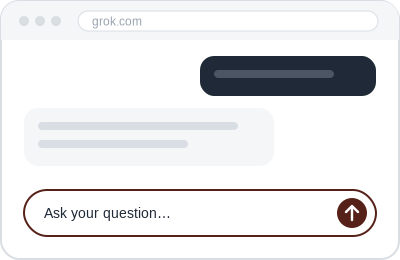
4Save it, start a new chat and ask.
Some Grok plans upload the ZIP; others show a New Skill form, where you paste the skill text in. Menus in Grok change often, so names may differ slightly.
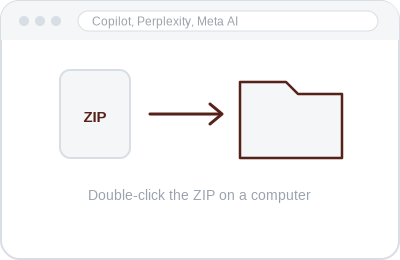
1No Skills page? Unzip the download on a computer.
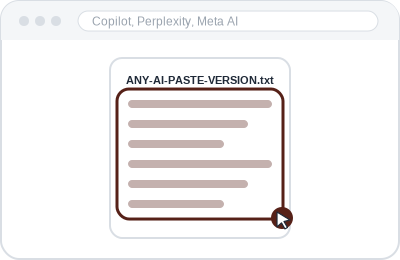
2Open ANY-AI-PASTE-VERSION.txt and copy everything.
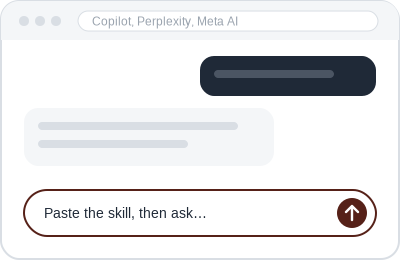
3Paste it into a new chat, then ask your question.
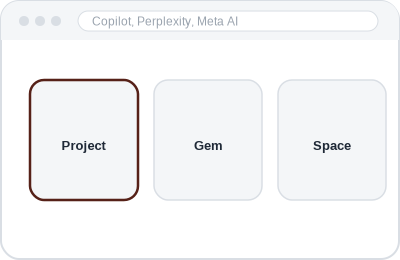
4To keep it on, add it to a ChatGPT Project, Gemini Gem or Perplexity Space.
Using Claude Code, Codex, Cursor or another coding agent? Unzip it into the skills folder, for example unzip hide-bench-leather-guide.zip -d ~/.claude/skills/
On your phone? Go ahead and buy: the download link goes to your email and works for a year. Adding a skill is easiest from a computer, in a web browser or the desktop app, so open that email there when you're ready. Want to try it on your phone today? Open the ZIP, copy ANY-AI-PASTE-VERSION.txt into any chat app, and ask.
Start with the free Stitch Plan
A small skill that plans the stitching for one project: iron pitch, thread size, thread length to cut and saddle stitch steps.
- Iron and thread size for your leather
- Thread length with the math shown
- Saddle stitch steps and finishing the ends
Get Hide Bench Leather Guide
Pay once, use it whenever you need it. Includes the free Stitch Plan too.
How to add it
Upload the ZIP under Skills in Claude, or the unzipped folder in Gemini (in Grok, upload the ZIP or paste the paste-in file into a new skill; in ChatGPT, add it to a Project), then start a new chat and try: "I'm making a card holder from 2 to 3 oz veg tan. What stitching iron and thread should I use, and how much thread do I cut?"
See the clicks for your app. Every download also comes with a paste-in version for any other chat, and a Start Here PDF.
Step-by-step guides with pictures: Claude · ChatGPT · Gemini · Grok
Hide Bench Leather Guide
Pick the leather, plan the cut, stitch it and finish it.
$5 one time
- Leather weight and type for 15+ projects
- Stitching iron, thread size and length math
- Pattern layout and hide yield planning
- Tooling, dyeing, edge and finish steps
- Starter and upgrade tool lists
- Fixes for common leatherwork problems
- Updates for a year
Card, Apple Pay or Google Pay through Stripe. Taxes calculated at checkout. 14-day refund.
Giving it as a gift? Buy it, forward the email, and print a gift card.
See a real answer from the full skill
You ask: I want to make my first 1.5 inch belt. What leather, stitch spacing and hardware should I use?
A single layer of 8 to 10 oz veg tan, no stitching needed (high confidence)
For a first belt, one layer of 8 to 10 oz (3.2 to 4 mm) vegetable-tanned leather is strong, simple and takes edges and dye well. Buy a pre-cut belt blank or a strap cut along the backbone, where it stretches least.
- Length: cut the strap about 10 to 12 in longer than the waist measurement. Measure from the buckle fold: the middle of 5 holes goes at the wearer's measurement around the waist over clothes where the belt sits (or pant size plus 2 in), with holes 1 in apart.
- Hardware: a 1.5 in buckle, two Chicago screws or a rivet at the fold and a keeper loop from a scrap strip.
- Edges: bevel with a #2 or #3 edge beveler, sand, then burnish with water or a burnishing gum.
- Optional stitching: a 4 or 5 mm iron with 0.8 mm thread along the edges is decorative on a single layer. Cut about 4 times the length you stitch.
Before you dye
Dye before you burnish, and test the colour on a scrap from the same strap. Seal with a top coat so it doesn't rub off on clothes.
Into more than one hobby? The Skill Pass gets you all 70 hobby skills, this one included, for $19.
New to AI skills?
Hide Bench is a skill: a set of expert instructions you add to your own Claude, ChatGPT, Gemini or Grok account, so it answers like a leatherworker who knows the craft.
- Using Gemini? Unzip it and upload the folder on its Skills page. Using Grok? Under Settings, Skills, upload the ZIP or paste the paste-in file into a new skill. Using ChatGPT? Add the included paste-in file to a Project.
- New to all of them? Claude is an AI assistant made by Anthropic. Make an account at claude.ai: skills work on every Claude plan, including the free one, with code execution turned on in Settings, Capabilities.
- Try the free Stitch Plan skill first. If you like it, the full skill is one purchase.
Not ready for an AI app? The free leather stitching thread calculator on this site works in any browser, no account needed.
Free leatherworking tools
No sign-up, they run in your browser.
Made by Nic Hubert, What If Labs
I run What If Labs from British Columbia, Canada. I build each skill with AI help and test it on real questions, and a separate reviewer checks it before it goes on sale. If it doesn't do what this page says, email me at hello@whatiflabs.ai and I'll fix it or refund you.
No reviews yet: this store is new. Tell me how it went and I'll use it to make the skill better.
Questions
What projects does it cover?
Wallets, card holders, belts, straps, watch bands, bags and totes, knife sheaths, holsters, notebook covers, key fobs and dog collars. It covers hand stitching, tooling and carving, dyeing, edges and finishes, and basic machine stitching.
Does it cover chrome tan as well as veg tan?
Yes. It explains when each is the better choice, how they behave differently for cutting, edges, dyeing and moulding, and which projects suit each.
Can it make patterns for me?
It can give dimensions and a cutting list for common projects and explain how to draft your own pattern, with seam allowances and fold allowances. Cut patterns from card first and test the fit before you cut leather.
I'm new. What tools do I need?
Tell it what you want to make first. It gives a lean starter kit, usually a knife, a steel rule, a cutting mat, stitching irons, needles and thread, an edge beveler and sandpaper, and tells you what to skip until later.
What do I need to use it?
A Claude, ChatGPT, Gemini or Grok account. In Claude it works on any plan, including the free one, with code execution turned on (Settings, Capabilities). Free accounts have lower usage limits, so long planning sessions go further on a paid plan. It works in Claude on the web, the desktop app and Claude Code. In Gemini and Grok, upload it on the Skills page. In ChatGPT, personal plans (Free, Plus, Pro) don't have Skills yet, so you add the included paste-in file to a ChatGPT Project; Business, Enterprise and Edu plans can upload the ZIP under Skills. Coding agents that read SKILL.md files work too. Using Copilot, Perplexity, Meta AI or another chat with no Skills page? Every download includes a paste-in version (ANY-AI-PASTE-VERSION.txt) that works in any AI chat.
What if it doesn't work for me?
Email hello@whatiflabs.ai within 14 days of buying and we'll refund you in full. No forms, no questions.
How is this different from just asking an AI?
A general AI answer is often vague or skips steps. The skill gives your AI an expert's method: what to ask you first, the checklists and calculations to run, and the mistakes to warn you about. You get consistent, specific answers instead of a different guess each time.
Do I pay every month?
No. It's a one-time price, and updates to the skill are free.
Can I get a refund?
Yes. Every purchase comes with a 14-day refund, no questions asked. Reply to your receipt email and we'll take care of it.
What if it gets something wrong?
It shows its working, so you can check numbers and dates. Tell it what's off and it will correct itself. For anything where a mistake costs money or safety, double-check before you act, as you would with any advice.
Is my information private?
The skill runs inside your own Claude, ChatGPT, Gemini or Grok account, and we never see your chats. When you buy, Stripe handles the payment and we keep your email and order so we can send the download. The terms and privacy page has the details.